
Student Village Academy › Forums › TECH AND GADGETS › Phones › iOS 26 is Live: 7 Features You Should Try First
- This topic has 0 replies, 1 voice, and was last updated 6 months, 1 week ago by
 Gigabyte Computer Solutions.
-
AuthorPosts
-
-
September 16, 2025 at 11:04 AM #83683
 Gigabyte Computer SolutionsModerator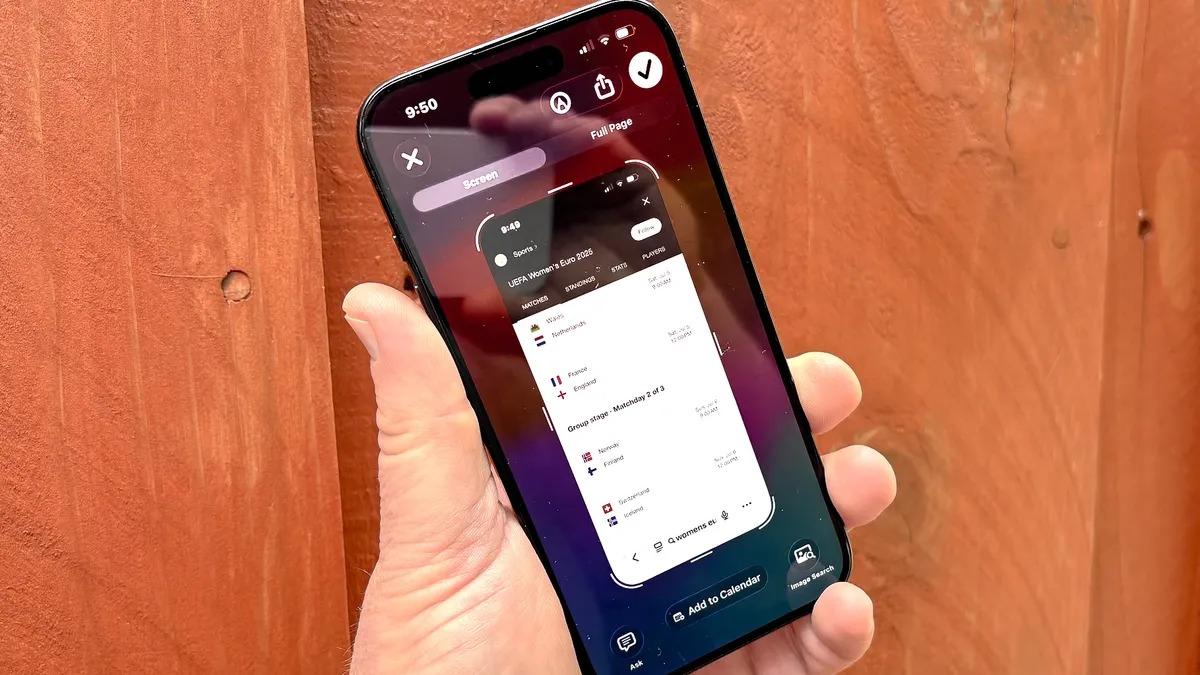
After months of beta testing, iOS 26 is now officially available as a stable release. If your iPhone supports the update, you can install it right away, while anyone upgrading to the new iPhone 17 will get iOS 26 pre-installed.
This update brings a mix of fresh features and refinements across apps and the interface. If you’re not sure where to start, here are seven standout changes you’ll want to try first.
1. Call Screening
Tired of nuisance calls? iOS 26 introduces Call Screening, allowing your iPhone to prompt unknown callers to identify themselves before the phone even rings. You’ll know who’s on the other end before deciding whether to pick up.Tied to this is Hold Assist, which lets your iPhone wait on hold for you during calls. When it’s finally your turn, the phone alerts you so you can rejoin the conversation without wasting time listening to hold music.
2. The Redesigned Camera App
The Camera app gets a new look with Liquid Glass styling around the viewfinder, reducing visual clutter while you frame a shot. Common options like aspect ratio and image format are now easier to access, though longtime users may need a moment to adjust to the new layout.3. Polls in Messages
The Messages app now includes a built-in polling tool. Create quick polls in your chats, and participants’ avatars appear alongside their votes. If the existing options don’t cover everything, you can add new choices on the fly.4. Visual Intelligence for Screenshots
Apple’s Visual Intelligence expands in iOS 26. You can now use it with any screenshot, not just those taken within its dedicated camera interface. From a screenshot, you can:Ask Siri or ChatGPT for context
Run an image search
Add events to your calendar if dates are detected
It’s a smarter, faster way to act on the content you capture.5. Liquid Glass Design Controls
Love it or hate it, Liquid Glass transparency effects are everywhere in iOS 26. Fortunately, Apple gives you control:Reduce transparency to boost clarity and performance
Or increase it, even making app icons translucent, for a more immersive look6. The Updated Photos App
After mixed reactions to iOS 18’s Photos redesign, Apple strikes a balance in iOS 26. The app now features a two-tab navigation bar:One for your curated collections
One for your full chronological library
You can still adjust categories and layouts, while new context like event details (concerts, sports, etc.) adds more meaning to your photos.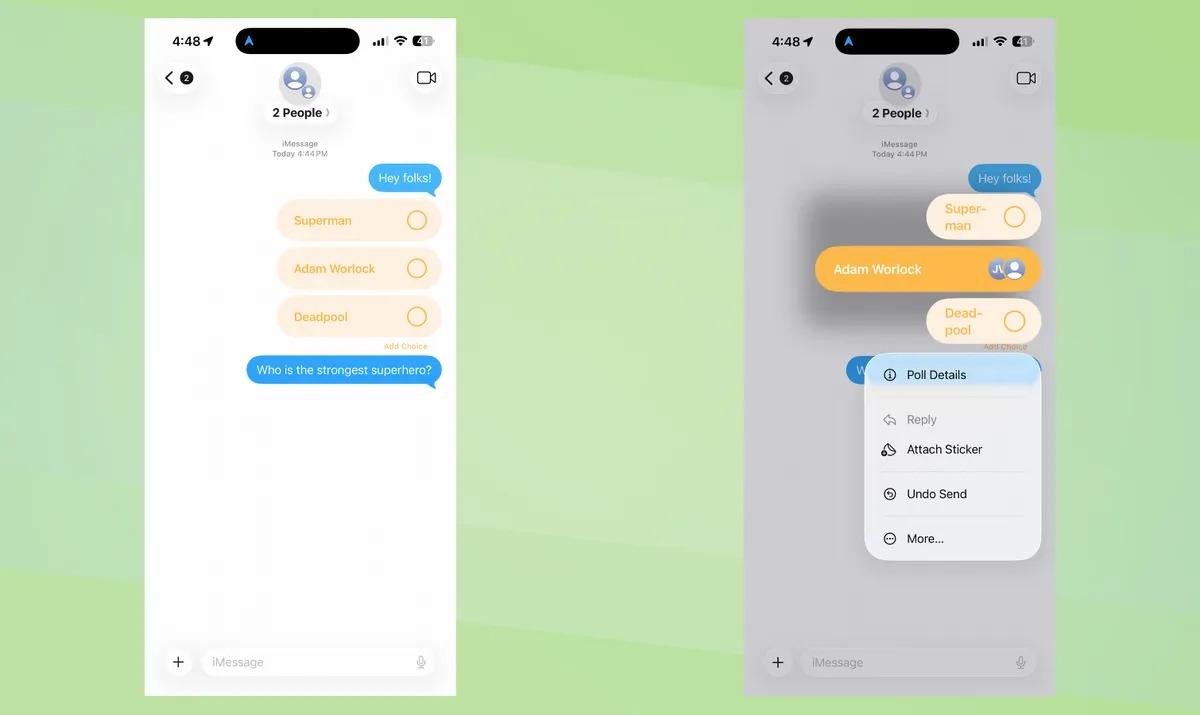
7. CarPlay Enhancements
CarPlay gets a substantial upgrade with iOS 26. Expect:New customizable widgets
Live Activities for real-time updates
Video streaming support on your vehicle’s display
A refreshed look with Liquid Glass styling
-
-
AuthorPosts
- You must be logged in to reply to this topic.